Free Open-Source iPhone GPS Spoofer & Core Location Simulator for macOS
Simulate persistent Core Location coordinates on a physical iPhone over USB or Wi-Fi using Apple's developer location-simulation path. Zero jailbreak, zero telemetry, fail-safe Restore GPS.
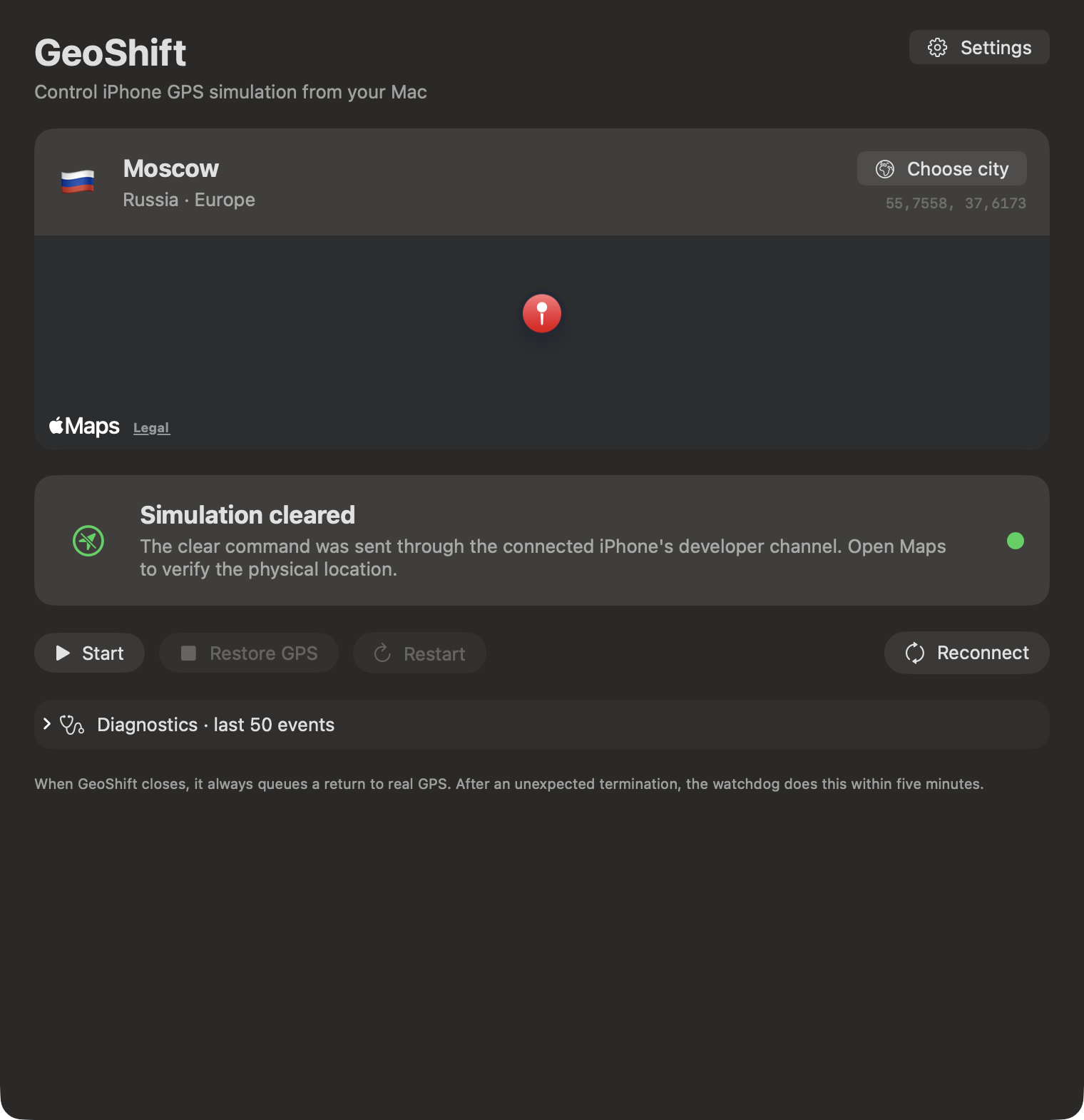
Reliable location simulation on real hardware
Designed for geofencing tests, localization QA, demos, and authorized location-aware workflows outside the Xcode Simulator.
Cable-free iOS 27 RemotePairing
Pair an iPhone over local Wi-Fi using a one-time six-digit code, or connect via trusted USB and legacy Wi-Fi lockdown.
Fail-safe Restore GPS
Heartbeat lease, exact-device identity, durable pending-clear queue, and crash recovery make sure your iPhone never stays stuck on a mock location.
Persistent across sleep & drops
A lightweight per-user LaunchAgent keeps the developer tunnel alive and reconnects automatically after Mac sleep or network blips.
Instant city search (EN & RU)
Search 100+ built-in cities by English or Russian name, country, or region, with live Apple Maps confirmation and bilingual UI.
Zero cloud, zero telemetry
No accounts, no remote server, no analytics. Pairing keys, runtime state, and rotating logs stay strictly local on your Mac.
100% open-source MIT code
Inspect the native SwiftUI frontend, Python worker, and automated Swift + Python regression suites directly on GitHub.
Quick install on macOS
Install the isolated pymobiledevice3 backend with uv, then launch GeoShift from the latest release or build from source.
1. Install the isolated pymobiledevice3 backend
brew install uv
uv tool install --python 3.13 \
  --with 'pmd-pytcp>=0.0.4,<0.1.0' \
  'pymobiledevice3==9.31.0'
2. Install GeoShift (or download the latest release)
git clone https://github.com/Lemelson/GeoShift.git
cd GeoShift
./Scripts/install_app.sh- 1Enable Settings → Privacy & Security → Developer Mode on your iPhone.
- 2Open GeoShift → Settings → Connection and pair via USB Trust or iOS 27 six-digit Wi-Fi code.
- 3Pick any destination from Choose city and click Start.
- 4Click Restore GPS whenever done — GeoShift confirms the clear over the developer channel.
Compatibility & honest boundaries
| Requirement | Supported |
|---|---|
| macOS | macOS 14 (Sonoma) or newer |
| Physical iPhone | iOS 17+ with Developer Mode enabled |
| Cable-free Wi-Fi | iOS 27 RemotePairing (beta-tested) |
| Swift / Build | Swift 6.2+ (native SwiftUI) |
| Python backend | Python 3.11–3.13, pymobiledevice3 9.31.0 |
| License | MIT (pymobiledevice3 is separate GPL-3.0 runtime) |
Developer Core Location — not a VPN
GeoShift updates coordinates reported by iOS Core Location via Apple's official developer simulation service. It does not jailbreak your device and does not change:
- Public IP address, DNS, cellular carrier, or network route
- App Store country, timezone, or device locale
- Third-party anti-spoofing or IP-vs-GPS checks
Intended for devices you own or are authorized to test. Read the full architecture and pairing guide on GitHub.