Posts
Post text, dates, links, authors and available engagement metrics. Include original posts, quotes, replies, reposts and articles.
The detailed product reference is available in English and Russian. Other interface translations are retained; updated sections use English where a translation is not yet available.
Your posts. Your saved reads. Your audience. Turn X (Twitter) data into a file for Excel, your own analysis or your next AI conversation.
Works with your signed-in X account. No separate registration.
NEW IN 2.0 · Themes, window size and text controls
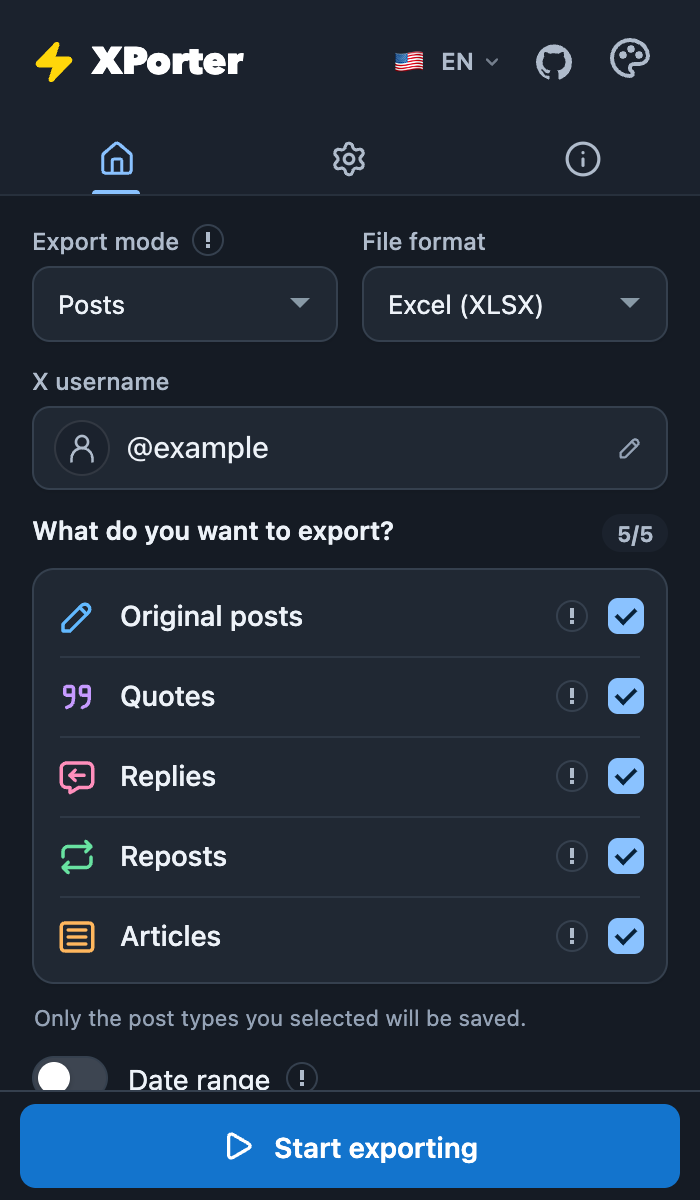
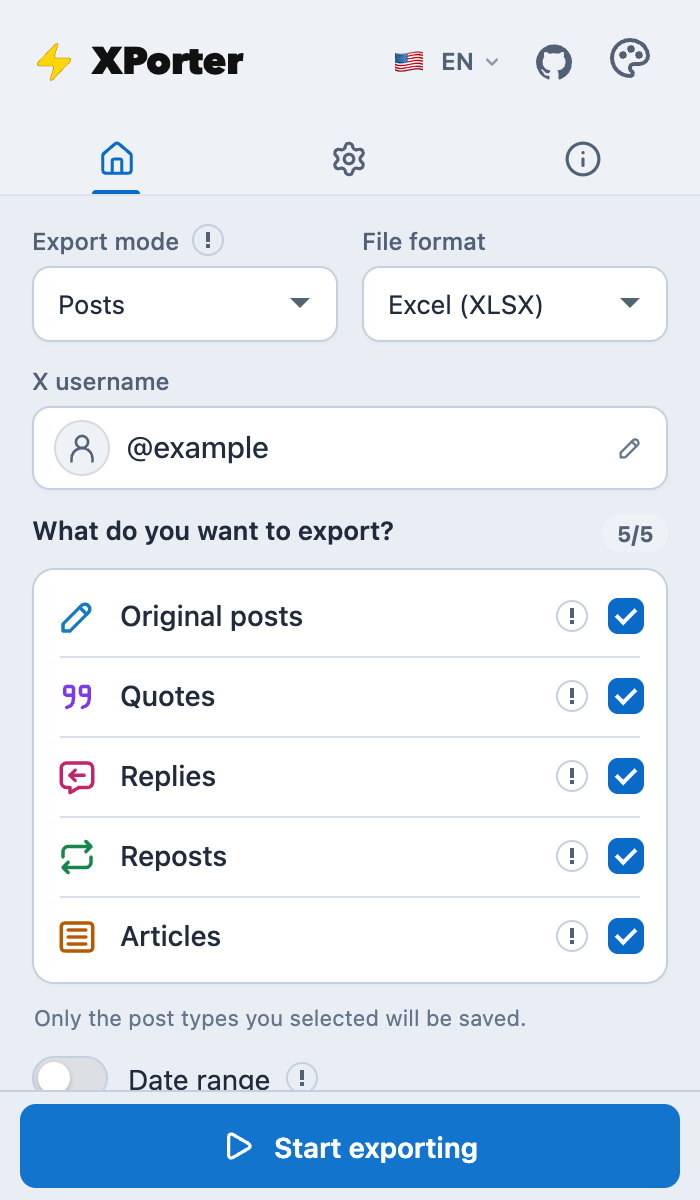
Choose from five export modes. Save the details behind the timeline, bookmarks and account lists.
Post text, dates, links, authors and available engagement metrics. Include original posts, quotes, replies, reposts and articles.
Keep the posts saved in your current X account, with their text, authors and links. Build a reading archive you can search and reuse.
Export followers, following or verified followers. Keep usernames, bios, profile links and available account details.
Filter posts by type and date range. Dates follow your browser’s time zone; results depend on X search coverage.
Stop collection, save what you have and resume a compatible saved session.
14 extension languages, light and dark themes, adjustable window and text sizes.
X decides which data is available and how fast it can be collected. Deleted posts, access restrictions and rate limits still apply.
A lightweight table for Excel, Google Sheets and quick comparisons.
An Excel workbook, with optional photo previews on a separate Media sheet.
Structured records for Python, JavaScript and your own data workflows.
Readable post text for your notes or an AI tool. Available for post-based exports.
Install from the Chrome Web Store, then use your existing X session. No separate XPorter account.
Add XPorter to Chrome, open x.com and sign in there. Open the extension from your browser toolbar.
Use a profile handle for posts and account lists. For Bookmarks, use the account currently signed in to X.
Select a mode and file format. Adjust post types, a row limit or a date range where available.
Start collection, follow the progress and save your file. Keep the search tab open for date exports. Large downloads may arrive in numbered parts.
Files are created in your browser. XPorter does not upload exported content to its server or send it to an AI service.
XPorter creates export files in your browser and does not upload their contents to a XPorter server. Requests use your signed-in X session. In version 2.0.0, product diagnostics stay local during use. Opening the uninstall feedback page sends limited product diagnostics; optional written feedback includes what you submit. A random installation identifier makes those reports pseudonymous, not guaranteed anonymous.
The extension also keeps a local dataset of non-reply posts X has already loaded while you browse. It makes no extra collection requests for this dataset; you can export or clear it in Settings. Exported content and X credentials are not included in automatic uninstall diagnostics.
Yes. There is no subscription, per-export payment or paid XPorter tier. Free exports still depend on X’s rate limits, search coverage, available timelines and your browser’s resources.
No. XPorter uses the X account already signed in to your browser. It does not ask for your X password or require a separate XPorter login.
Completeness is not guaranteed. X may limit timelines or search results, return fewer accounts than a profile counter shows, or stop a request. You can save partial results and resume when the saved session supports it.
X sets request quotas. XPorter respects available quota headers and retries some temporary failures. Faster presets cannot remove those limits. If collection stalls, save the rows you have and follow the status message before retrying.
Post exports include available media links. XLSX can also embed bounded photo previews in a Media sheet with optional image-host permission. It is not a full-resolution photo or video archive.
No. TXT makes post exports easier to read and reuse. Copying or uploading a file to an AI service is a separate action you choose, subject to that service’s data policy.
XPorter is distributed through the Chrome Web Store for desktop Chrome. Other Chromium browsers may support the extension, but compatibility and installation rules can differ. This is not a mobile X app.
Use the Telegram, email or GitHub links below. Include the extension version, export mode and visible error message. Leave out passwords, cookies and any private exported content.
Historical Chrome Web Store weekly-user data through July 16, 2026. The model scenarios below were calculated from that snapshot; they are not current user counts.
Aggregate data only. Dates and weekly-user totals; no identities, accounts or exported X content.
Snapshot: 511 weekly users on July 16, 2026.
The growth data could not be loaded.
This archive is preserved for transparency. The scenario range is not a confidence interval or a promise of future growth.
Free to install. No API key. Start with your next export.
Add XPorter to Chrome