Free online voice pitch analyzer.
See every note it hits.
Read a short passage aloud and VoiceScope maps your pitch in real time — frequency in hertz, musical notes, and how it moves over time. Everything runs in your browser; audio never leaves your device.
Analysis settings
Free browser-based pitch analysis
Measure your speaking voice in hertz, notes, and time
VoiceScope is a free online voice pitch analyzer for speech and singing. It records from your microphone, estimates fundamental frequency (F0), and turns each voiced moment into a frequency, musical note, and readable pitch contour. Processing stays in your browser.
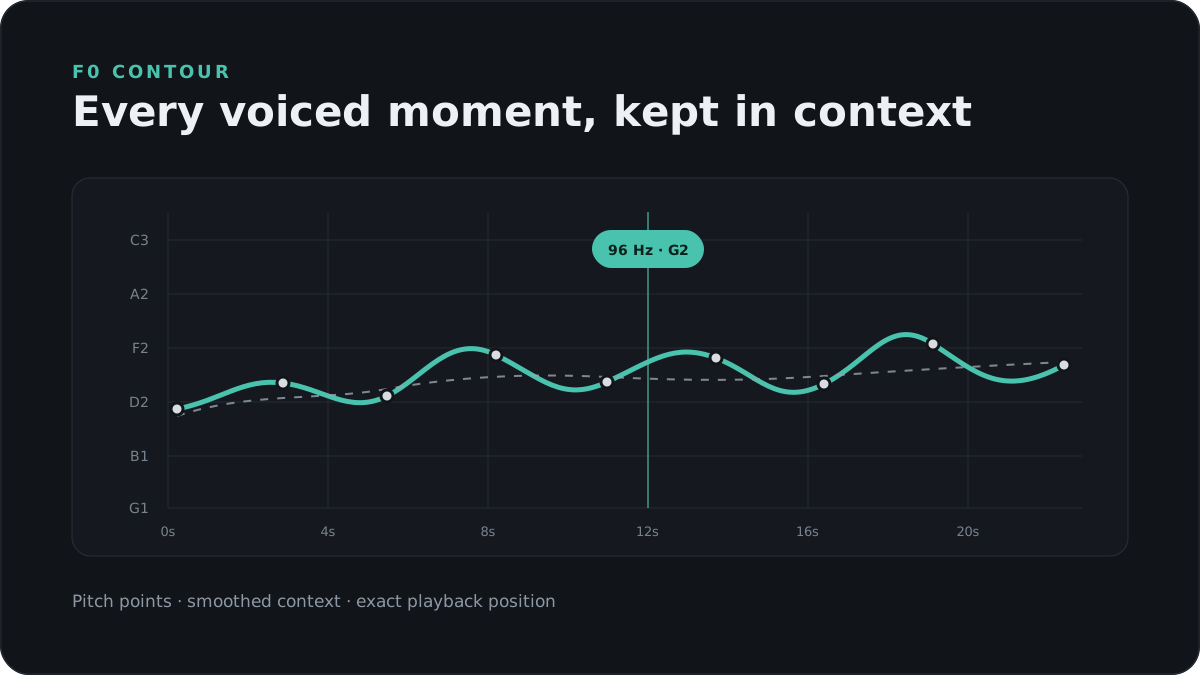
What a voice pitch analyzer measures
Pitch is the perceptual counterpart of fundamental frequency: how quickly the vocal folds repeat a vibration. VoiceScope reports that estimate in hertz and maps it to the nearest equal-tempered note. Median pitch describes the centre of a recording, while the contour shows changes that a single average cannot reveal.
How to get a reliable voice frequency result
- Use a quiet room and keep the microphone about 10–20 cm from your mouth.
- Speak naturally for at least 15 seconds instead of forcing an unusually low or high voice.
- Repeat the recording and compare medians; background noise and vocal warm-up can shift a result.
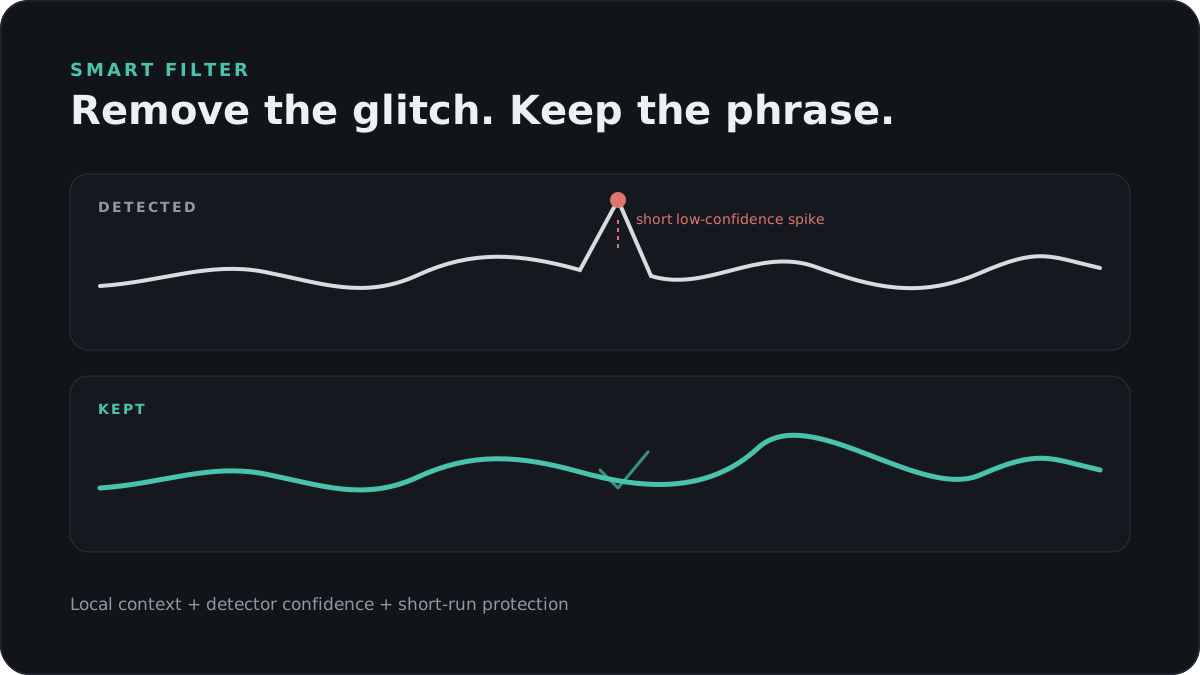
- Use Smart mode when clicks, breaths, or short background sounds create isolated pitch points.
Why VoiceScope keeps the full pitch contour
A short voice test often returns one number. VoiceScope also keeps the underlying time series, highlights trimmed outliers, lets you replay the exact recording, and stores recent sessions locally for comparison. That makes it useful for checking speaking pitch, vocal exercises, intonation, and detector errors rather than treating one number as a verdict.
Privacy and limits
Microphone analysis and recording history run locally on your device. VoiceScope measures F0, not attractiveness, health, gender, resonance, or the complete character of a voice. Results are a statistical and acoustic reference, not a medical diagnosis.
Common questions
What is the normal frequency of a speaking voice?
Speaking F0 varies by person, age, physiology, language, emotion, and context. A range is more useful than a hard category. VoiceScope shows a descriptive statistical reference while keeping the raw recording available for review.
Does VoiceScope upload my microphone audio?
No application server receives the recording. Analysis and history use browser APIs and local IndexedDB storage. An optional anonymous GoatCounter page-view request is separate from microphone processing.
Can it detect singing notes?
Yes. A steady sung note normally produces a clear note and frequency. The tool is designed around voice F0 rather than instrument tuning, so it does not display cents deviation from concert pitch.
Why do some points disappear in Smart mode?
Smart mode looks for short, locally inconsistent points with weak detector confidence. Sustained changes and clear short phrases are retained; isolated low-confidence glitches are marked as trimmed.